As of May 7th 2022, Gitlab support for Terraform comes in 2 flavors:
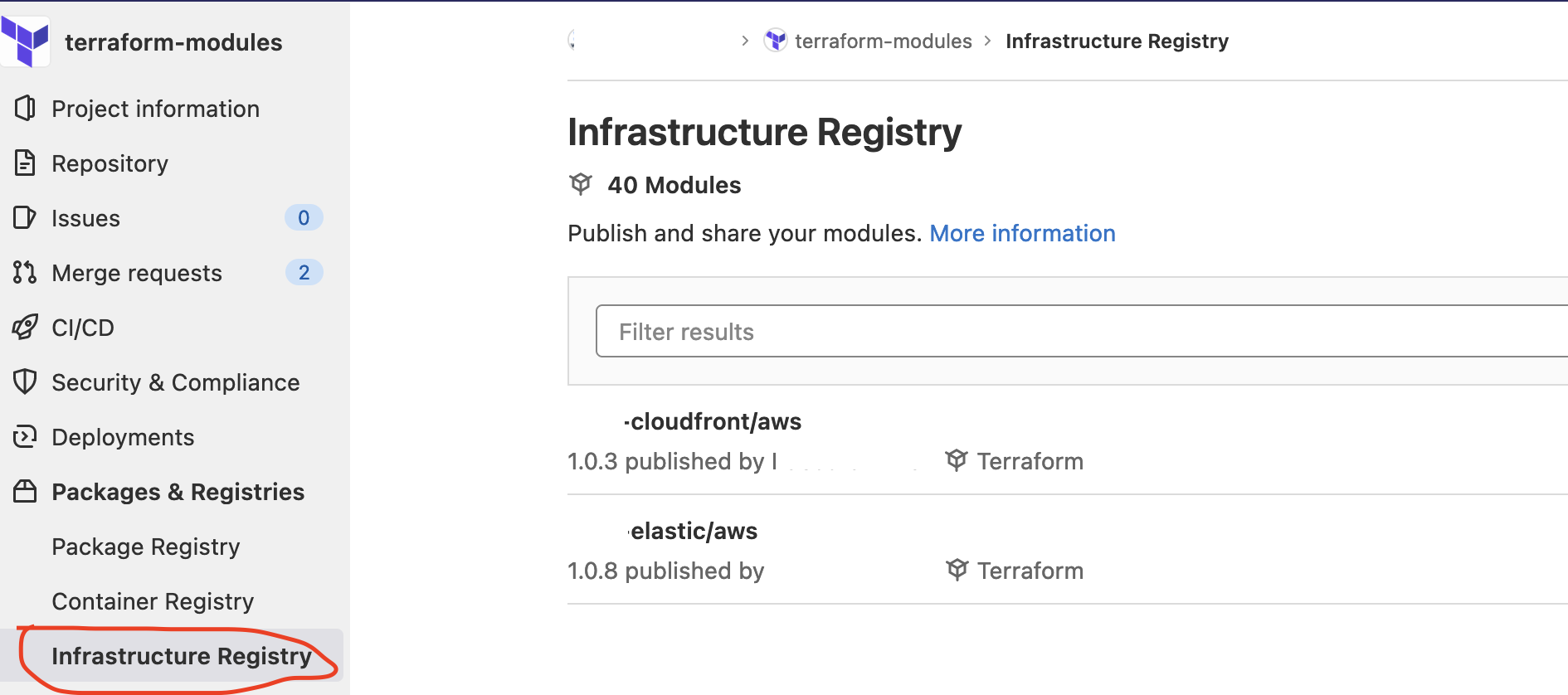
- the Terraform Registry
This is where you would push all your released modules (instead of just tagging them) – like you probably already do with other types of artifacts (java jars, node NPMs, etc.)
- the Terraform state
This is where you persist the current state of your Terraform deployments. Most popular options are usually: the local filesystem (not great for sharing), on Git (not great for hiding deployed resources secrets and passwords) on S3 (or any other bucket like storage) or… you can use Gitlab support for Terraform state (that will conveniently reuse your existing Gitlab Tokens, lock your state and link the state with your pipelines in a nice UI).

Let’s explore a little bit more this last option: Gitlab Terraform State support.
By the way, I strongly suspect most of the information provided in this ticket could apply to other Terraform states services (Hashicorp Terraform cloud, etc.)
The basics
If you click on the « Copy Terraform init command » from the last screenshots, you’ll get a convenient command line to configure your Terraform project:
export GITLAB_ACCESS_TOKEN=<YOUR-ACCESS-TOKEN>
terraform init \
    -backend-config="address=https://gitlab.com/api/v4/projects/$PROJECT_ID/terraform/state/prod-account-common-global" \
    -backend-config="lock_address=https://gitlab.com/api/v4/projects/$PROJECT_ID/terraform/state/prod-account-common-global/lock" \
    -backend-config="unlock_address=https://gitlab.com/api/v4/projects/$PROJECT_ID/terraform/state/prod-account-common-global/lock" \
    -backend-config="username=anthony" \
    -backend-config="password=$GITLAB_ACCESS_TOKEN" \
    -backend-config="lock_method=POST" \
    -backend-config="unlock_method=DELETE" \
    -backend-config="retry_wait_min=5"
And then, you should be able to use terraform plan and terraform apply normally.(provided you configured your backend properly though:
terraform {
  backend "http" {
  }
}
When things go wrong…
Well, with time you will make mistakes and you will push incorrect states to Gitlab (this is why you should aim for CI only access…); let’s see what can be done when that happens.
The official documentation is a very nice start; I added few more information here to deal with disaster.
retrieve the stored state:
You could simply use terraform state pull > my.tfstate to get a local copy of the current state.
If you pay attention to the first line of the state, you’ll notice the serial version:
{
  "version": 4,
  "terraform_version": "1.1.7",
  "serial": 35,
so in case you have issues and you want to revert to a previous version, say version 34, you can still pull it:
curl --header "Content-Type: application/vnd.api+json" --header "Authorization: Bearer glpat-XXX" https://gitlab.com/api/v4/projects/$PROJECT_ID/terraform/state/my-state/versions/34 > backup.tfstate
Then, if you want to restore this backed up state, you just need to increment the serial to 36 (since 35 exists and is where you had the accident) and then push it:
terraform state push backup.tfstate
create a new state
You just need to customize the init command:
$ export STATE=test-anthony
$ terraform init -reconfigure \
    -backend-config="address=https://gitlab.com/api/v4/projects/$PROJECT_ID/terraform/state/${STATE}" \
    -backend-config="lock_address=https://gitlab.com/api/v4/projects/$PROJECT_ID/terraform/state/${STATE}/lock" \
    -backend-config="unlock_address=https://gitlab.com/api/v4/projects/$PROJECT_ID/terraform/state/${STATE}/lock" \
    -backend-config="username=anthonydahanne" \
    -backend-config="password=$GITLAB_ACCESS_TOKEN" \
    -backend-config="lock_method=POST" \
    -backend-config="unlock_method=DELETE" \
    -backend-config="retry_wait_min=5"
and then plan / apply or push an existing state
terraform state push nv.tfstate
I was looking for a way to do the push using curl but since a lock is in place, the push dance is slightly more complicated than just a curl post:
POST https://gitlab.com/api/v4/projects/$PROJECT_ID/terraform/state/test-anthony/lock
GET https://gitlab.com/api/v4/projects/$PROJECT_ID/terraform/state/test-anthony
GET https://gitlab.com/api/v4/projects/$PROJECT_ID/terraform/state/test-anthony
POST https://gitlab.com/api/v4/projects/$PROJECT_ID/terraform/state/test-anthony?ID=xxx-yyy-zzz
DELETE https://gitlab.com/api/v4/projects/$PROJECT_ID/terraform/state/test-anthony/lock
By the way, I got those details setting the Terraform debug environment variables:
export TF_LOG_PATH=./terraform.log
export TF_LOG=trace
delete the state
Pretty dangerous, since it will wipe all of the state versions
curl --header "Private-Token: glpat-XXX" --request DELETE "https://gitlab.example.com/api/v4/projects/$PROJECT_ID/terraform/state/test-anthony"